
Why this is so important
People treat Recents like a light switch. For VoiceVault that assumption is dangerous: some devices keep the recorder alive after removing the UI; others kill the background task and the current recording stops with little warning.
Worse: on some manufacturers, Clear all keeps recording while swiping only VoiceVault kills it. Treating those gestures as the same “test” gives a false sense of safety.
What VoiceVault already does
- Foreground service + persistent notification while recording.
- Microphone, notifications, and background / battery prompts in onboarding.
- Recorder process is not told to stop merely because the UI task was removed — but the OS can still kill it.
Those steps help. They are not a guarantee. Separately, learn mic interruption — another app stealing the mic stops the current recording even when the service survived Recents.
In-app education (no required lab)
- Why it matters
- Permissions help — not a guarantee (OEM / gesture differences)
- Safe default + optional verify later
Then choose:
- Continue — keep VoiceVault open for important recordings (recommended default)
- I verified: keeps VoiceVault alive (optional; single-app swipe only)
- I verified: kills background recording (optional)
After you confirm keeps-alive or kills, ☰ → Background survival: … shows a short status summary. Use ☰ → Update/Re-test background survival anytime to change the selection. Before you confirm, that menu item reads Background survival training. The home recorder stays clear of reminder banners.
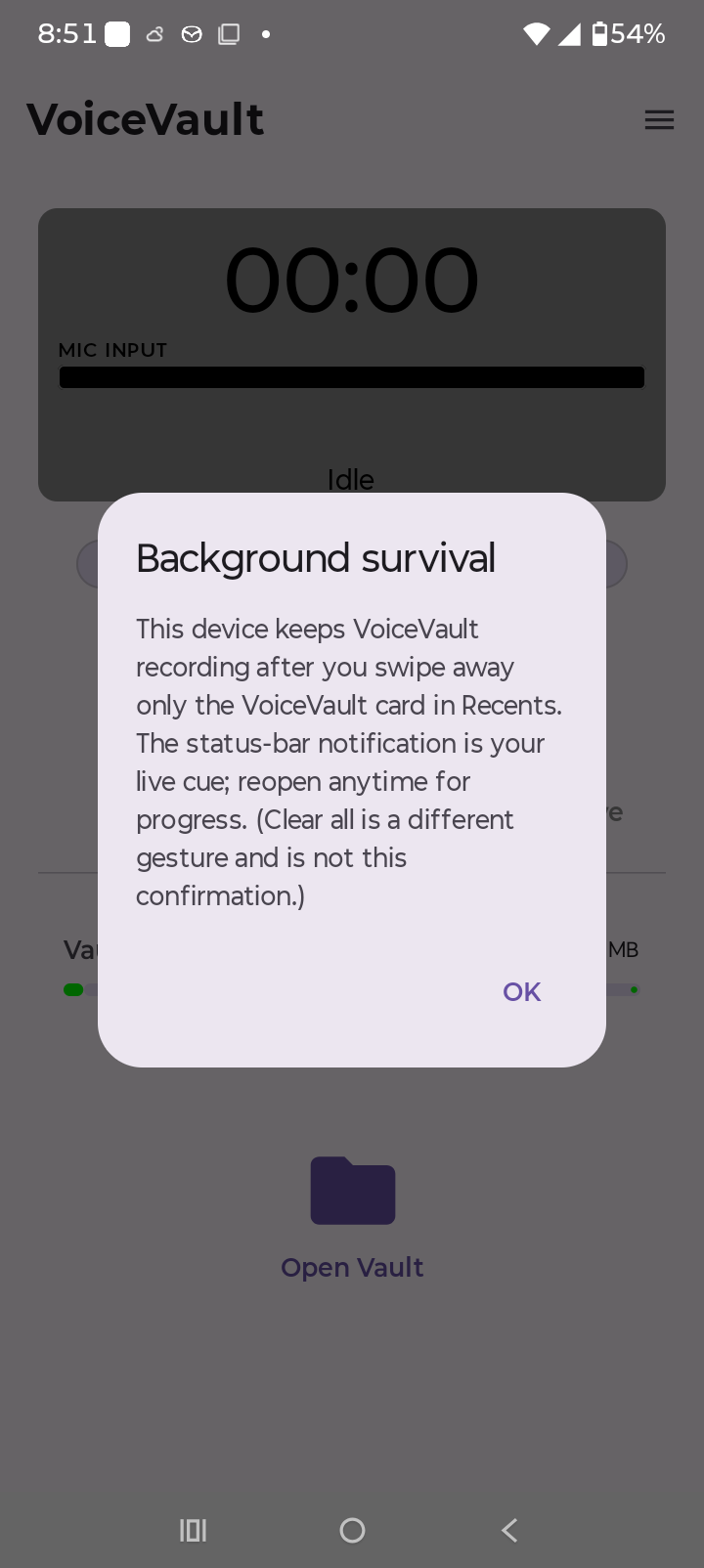
Optional verify (single-app swipe only)
Only if you choose to — after training, from the home recorder:
- Start a short test recording; confirm the notification.
- In Recents, swipe away only the VoiceVault card. Do not use Clear all for this confirmation. Do not use Home alone.
- Wait 15–30 seconds; check the shade / reopen VoiceVault.
- Update the verdict from ☰ → Background survival training (or Update/Re-test background survival after you have confirmed once).
What to do with each result
Safe default (not confirmed)
- Keep VoiceVault open for important recordings.
- Verify later only if you want; no homework required.
Keeps alive (single-app swipe verified)
- You can leave the UI; trust the notification; reopen for progress.
- Still watch for microphone loss.
Device kills (single-app swipe)
- Leave VoiceVault open for important recordings.
- Check battery unrestricted / OEM autostart; retest after OS updates.
Support
If you document a quirk (especially Clear all vs single swipe), email support@abuckor2apps.com with phone model and Android version.
← Onboarding · Recording · Mic. Management · VoiceVault overview